Is 10Gb Networking Worth It for Your Business?
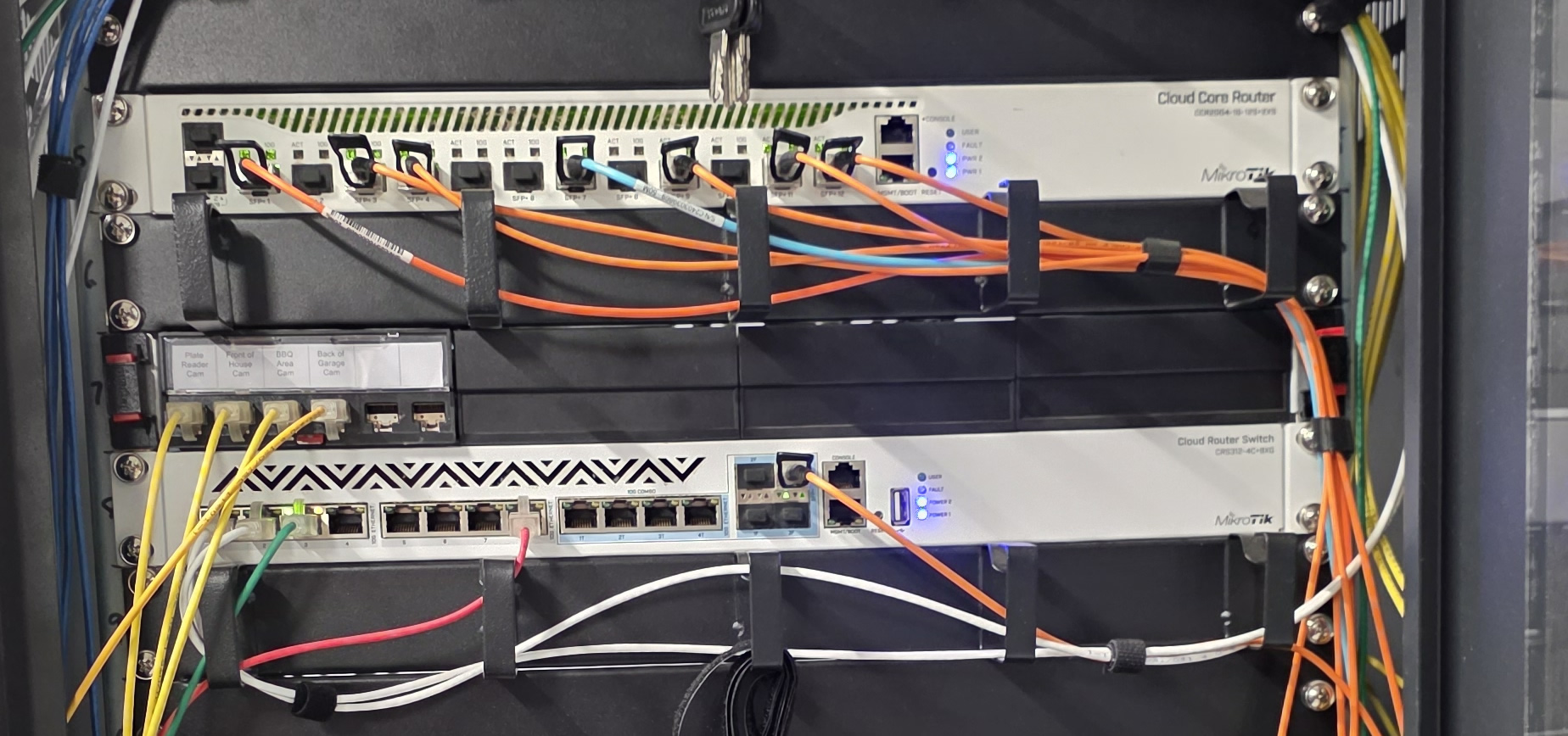
Not long ago, a 1Gb network was more than enough for most offices. Today, that is changing quickly.
Larger cloud backups, shared storage, security camera systems, VoIP, remote desktops, large design files, video meetings, and faster fibre internet connections are all pushing business networks beyond the old gigabit standard.
For some businesses, moving to 10Gb networking can make a huge difference. For others, 2.5Gb or 5Gb may be the smarter middle ground. The right answer depends on your users, your internet connection, your servers, your cabling, and your budget.
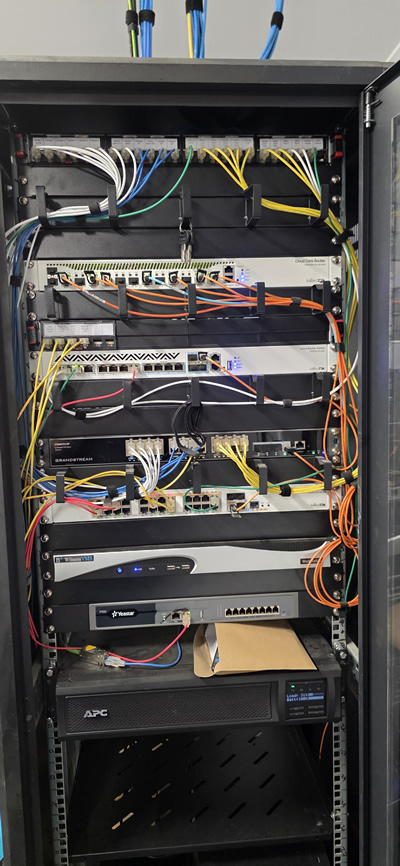
Caption: A rack cabinet with 10Gb Ethernet, SFP+ switching, an SFP+ capable router, fibre patching, UPS, phone system and video equipment.
The benefits of 10Gb networks
The biggest advantage of 10Gb networking is simple: speed. A 10Gb link can move a lot more data than a standard 1Gb connection, which can be very useful in environments with many users or heavy internal traffic.
In a corporate network, 10Gb is especially useful for backbone links between switches, server connections, NAS or SAN storage, virtualisation hosts, backup systems, and high-throughput internet gateways. Even if every desktop does not need 10Gb, the core of the network often benefits from it.
For example, if hundreds of desktop users are sharing one internet connection, a 1Gb uplink between the firewall and switching core can become a bottleneck. A 10Gb link gives the internal network room to breathe, especially when combined with fast business fibre, cloud storage, video meetings, software updates and hosted applications.
10Gb networking can also make internal file transfers feel much faster. This is useful when staff are working with large folders, design files, video footage, backups, virtual machines, or shared project data. Instead of waiting for large files to crawl across the network, a properly designed 10Gb setup can move data quickly between workstations, servers and storage.
Where 10Gb makes sense
10Gb networking is a strong fit for businesses that regularly move large amounts of data. This can include engineering firms, video production teams, architecture offices, medical imaging, schools, call centres, data-heavy offices, backup-heavy environments, or any site with central servers and many users.
It is also very useful for network infrastructure. Even if desktop computers remain on 1Gb, using 10Gb for switch uplinks, router uplinks and server connections can dramatically reduce congestion.
This is often the most sensible way to deploy 10Gb. You do not always need every desk running at 10Gb. In many cases, the important thing is making sure the main parts of the network are not restricted by slow links between switches, servers and routers.
The downsides of 10Gb
The main downside is cost. 10Gb switching is still more expensive than standard gigabit switching, especially when you need multiple SFP+ ports, 10Gb copper ports, fibre modules, DAC cables, rack hardware and compatible routers or firewalls.
Desktop compatibility is another consideration. Most office computers still do not have native 10Gb ports. To connect a desktop at 10Gb, you may need a PCIe SFP+ card, a 10Gb copper Ethernet card, or a suitable Thunderbolt or USB adapter. That adds cost, heat, driver considerations, and sometimes cabling changes.
Copper 10Gb Ethernet can also be more demanding than standard gigabit. Cable quality matters, cable length matters, and older cabling may not perform reliably at 10Gb. SFP+ fibre or DAC cabling is often cleaner and more efficient inside cabinets, but it requires the right modules, ports and planning.
There is also the question of whether the business will actually use the extra speed. A 10Gb port sounds impressive, but if the computer is only browsing the web, using email, printing documents, or accessing small cloud files, it may never come close to using that capacity.
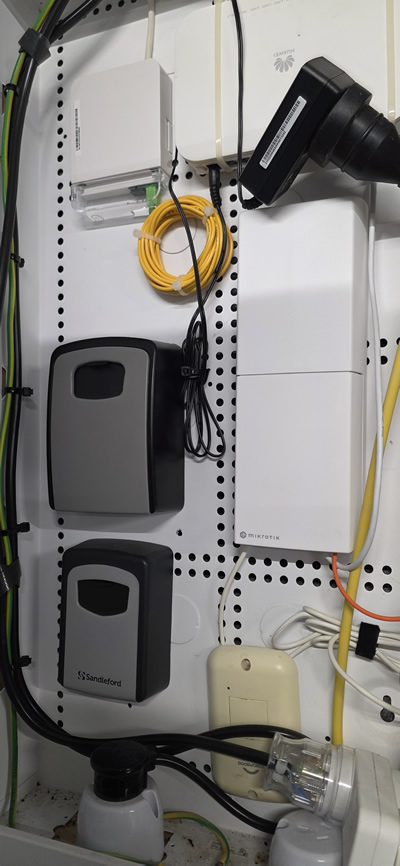
Caption: An in-wall communications cupboard using fibre equipment and an SFP+ Ethernet media converter.
SFP+, 10Gb Ethernet, and media converters
When people talk about 10Gb networks, they are usually talking about either 10Gb copper Ethernet or SFP+. Copper 10Gb Ethernet uses familiar RJ45-style network ports, while SFP+ uses small pluggable modules for fibre, DAC cables, or sometimes RJ45 adapters.
SFP+ is very common in routers, switches and rack-mounted network equipment. It is popular because it is flexible and works well for high-speed links between cabinets, switches, routers and servers.
In some installations, an internet provider may hand off a high-speed service as Ethernet. In others, the handoff may involve SFP or SFP+ equipment. That means the router, firewall or media converter needs to be chosen carefully. The physical connection matters just as much as the advertised speed.
A media converter can be useful where fibre needs to be converted into Ethernet, or where a particular router or firewall does not have the required fibre interface. However, it is always better to design the network properly from the start so the internet handoff, router, switching and cabling all work together.
The rise of 2.5Gb and 5Gb networking
While 10Gb is excellent, it is not always necessary for every device. This is where 2.5Gb and 5Gb networking has become very interesting.
Many newer desktop motherboards from manufacturers such as MSI, ASUS and Gigabyte now include 2.5Gb Ethernet onboard. Some higher-end boards and workstations also support 5Gb or 10Gb. This gives businesses a practical upgrade path without needing to install extra network cards in every machine.
For many offices, 2.5Gb is a very sensible step up from 1Gb. It is faster, more affordable than full 10Gb, and often works over existing cabling if the cable runs are in good condition. It is particularly useful for modern Wi-Fi access points, fast desktops, small servers and shared workstations.
This middle ground is becoming more important. A business might not need 10Gb to every desk, but 2.5Gb or 5Gb can still offer a noticeable improvement, especially when several users are accessing shared files, cloud backups, or fast internet at the same time.
Internet speeds are also changing
High-speed internet is another reason businesses are looking beyond 1Gb internal networks. Some New Zealand fibre services are now available at multi-gigabit speeds, including 4Gb and higher options in supported areas.
However, ordering a faster internet service is only one part of the job. To actually use that speed, the router, firewall, switches, cabling and client devices all need to support it. A 4Gb or 10Gb-capable internet connection connected to a 1Gb router port will still be limited by that 1Gb bottleneck.
Some internet providers may deliver high-speed services using a standard Ethernet handoff. Others may use SFP or SFP+ depending on the service, equipment and installation type. This is why it is important to check the technical requirements before choosing your router or firewall.
Our practical recommendation
For many businesses, the best approach is not to upgrade everything to 10Gb at once.
A more practical design is often to use 10Gb for the network core, servers, routers, storage and switch uplinks. Then use 2.5Gb or 5Gb for newer desktop computers and high-performance workstations. Standard 1Gb can still be perfectly fine for printers, phones, basic desktops and devices that do not need more speed.
SFP+ fibre or DAC links are often a good choice inside racks and between key network devices. They keep things tidy, reduce bottlenecks and provide a reliable high-speed backbone.
This type of mixed-speed design gives the business the benefits of a faster network without overspending on devices that will never use the extra capacity.
Final thoughts
10Gb networking is no longer just for data centres. It is becoming more common in business networks, especially where fast fibre, cloud services, local servers, security systems and many users all share the same infrastructure.
The key is designing it properly. A fast network is only as good as its weakest link. Switches, routers, SFP+ modules, Ethernet ports, network cards, cabling and internet handoff all need to be considered together.
For some businesses, full 10Gb to the desktop will make sense. For others, a combination of 10Gb backbone links, 2.5Gb or 5Gb desktops, and standard 1Gb devices will be the better option.
If your business is planning a network upgrade, moving premises, adding faster fibre, or installing new servers, it is worth looking at 2.5Gb, 5Gb and 10Gb options before locking in the design.
Central Communications can help plan, install and tidy up business network infrastructure, from in-wall cabinets through to rack-mounted switching, routing, fibre, Wi-Fi and high-speed internet handoff.
